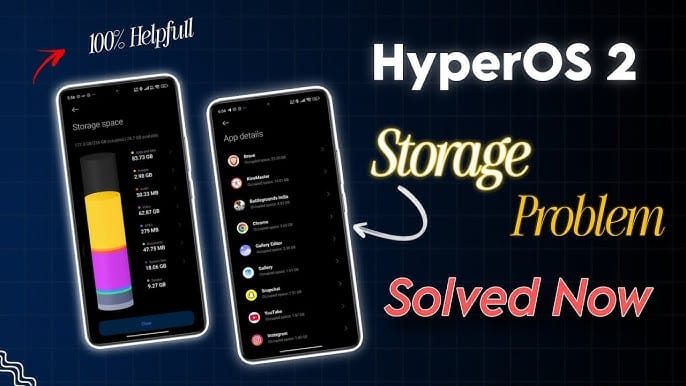
The Storage Nightmare I get it. A new software update drops on your phone. The notification sits there in the status bar begging to be tapped.
For advertisement on our platform, do call at +91 6377460764 or email us at [email protected].
You think it will bring smooth animations or some fancy new features.
Xiaomi has been pushing HyperOS 4 heavily recently. They promised a cleaner codebase and zero legacy junk. They want users to believe this is the ultimate fix for past software bugs. People are waking up to a brutal surprise after downloading the update files.
Their phone storage is completely vanishing overnight.
I am not talking about a few missing gigabytes here or there. Some users look at their storage settings and see the “System Files” category eating up over 100 gigabytes of space. Sometimes it touches 150GB.
Imagine buying a 256GB phone and having more than half of it held hostage by an invisible glitch. You cannot take photos. You cannot download a new game.
The phone crawls to a halt and throws constant error messages about low memory.
What Is Actually Happening Under The Hood Xiaomi built HyperOS to replace the heavy old MIUI system. The whole point was to make things lighter. But somewhere in the recent code drops leading into this new era, things went horribly wrong. The operating system is misreading data.
That is the simplest way to explain it without tech jargon.
When you download a video on WhatsApp or cache thumbnails in a photo gallery, Android usually knows exactly how to categorize them. It puts them neatly in media folders. But this specific Xiaomi software bug gets confused.
It scoops up hidden app data, old media files, and random corrupted download packets. It lumps them all together under “System Files.” You check your storage manager.
You see your installed apps take up maybe 15 gigabytes.
You know for a fact you only have a handful of videos saved. But the phone insists the core operating system is taking up 120 gigabytes. The math fails to add up. It gets worse when the update process itself starts.
Xiaomi’s mechanism needs a lot of room to breathe.
When it downloads the package, it has to extract it locally right on your phone memory. That process requires sometimes double the size of the update itself. For a big software jump, a device might need over 15GB of entirely free space just to let the installer run.
If your phone is already struggling with this weird storage bug, the installation gets stuck midway. It creates even more useless junk files. A Zero-Legacy Mess The developers over at Xiaomi keep repeating this phrase about moving to a “zero-legacy architecture” for the new software.
They want to strip out the old code that has been hanging around for ten years causing memory leaks.
They are rebuilding core system apps using entirely new programming languages like Rust and Flutter. Software transitions like this are incredibly messy in the real world. When a company rips out the old foundations of an operating system, the internal file structure gets mangled. The phone loses track of what files belong where.
Old cache data gets orphaned.
It sits there taking up precious space on your internal storage chip. The system actively refuses to let you delete it. You try to use the built-in security and cleaner app.
It does nothing. The system files category stays heavily bloated. The cleaner app only wipes superficial cache, leaving the deep root problems totally untouched.
Flagship phone users are dealing with this firsthand.
People who bought expensive devices paid premium prices. Now they are stuck with phones that act like cheap budget devices from years ago. The storage is choked to death. It slows down the entire interface.
Apps take longer to open.
Multitasking becomes difficult because the phone has no virtual memory space left to swap tasks. The Fix Hurts Some people get lucky with a specific trick. They turn the phone completely off.
They wait five minutes. They turn it back on. Sometimes the storage recalculates upon booting up and spits the missing gigabytes back out.
It is a rare occurrence.
Another workaround involves digging deep into the app settings menu. You sort every single app by storage size manually. You find the ones hoarding massive amounts of user data and clear it all out one by one. It logs you out of everything.
You lose your local app preferences.
People on forums describe spending hours doing this. It takes a long time. Even then, it might only free up ten or fifteen gigabytes at best.
One user found that a single messaging app had somehow ballooned to over 30 gigabytes of hidden background data that the system falsely labeled as core operating files. For the vast majority of people suffering from this storage bug, there is only one permanent solution. A complete factory reset.
You literally have to wipe the entire phone clean.
You have to back up photos to a computer or the cloud. Save your contacts manually. Nuke the device all the way back to the initial setup screen. It is the only way to rebuild the internal partition table correctly so the system stops hoarding phantom data.
Users have reported having to perform this wipe multiple times because simply restoring from a cloud backup sometimes pulls the corrupted file structures right back onto the fresh system.
The partition issue deeply embeds itself into the phone memory allocation. Reflashing the firmware using a computer is the only guaranteed way to resize the partition memory back to normal limits.